
Most webinar creation guides start with slides. That is where they go wrong. A webinar is not a slide deck. It is a strategic asset designed to move a specific audience from a specific problem to a specific action. The slides are the last step, not the first. Starting with slides is why so many webinars feel like presentations in search of a purpose.
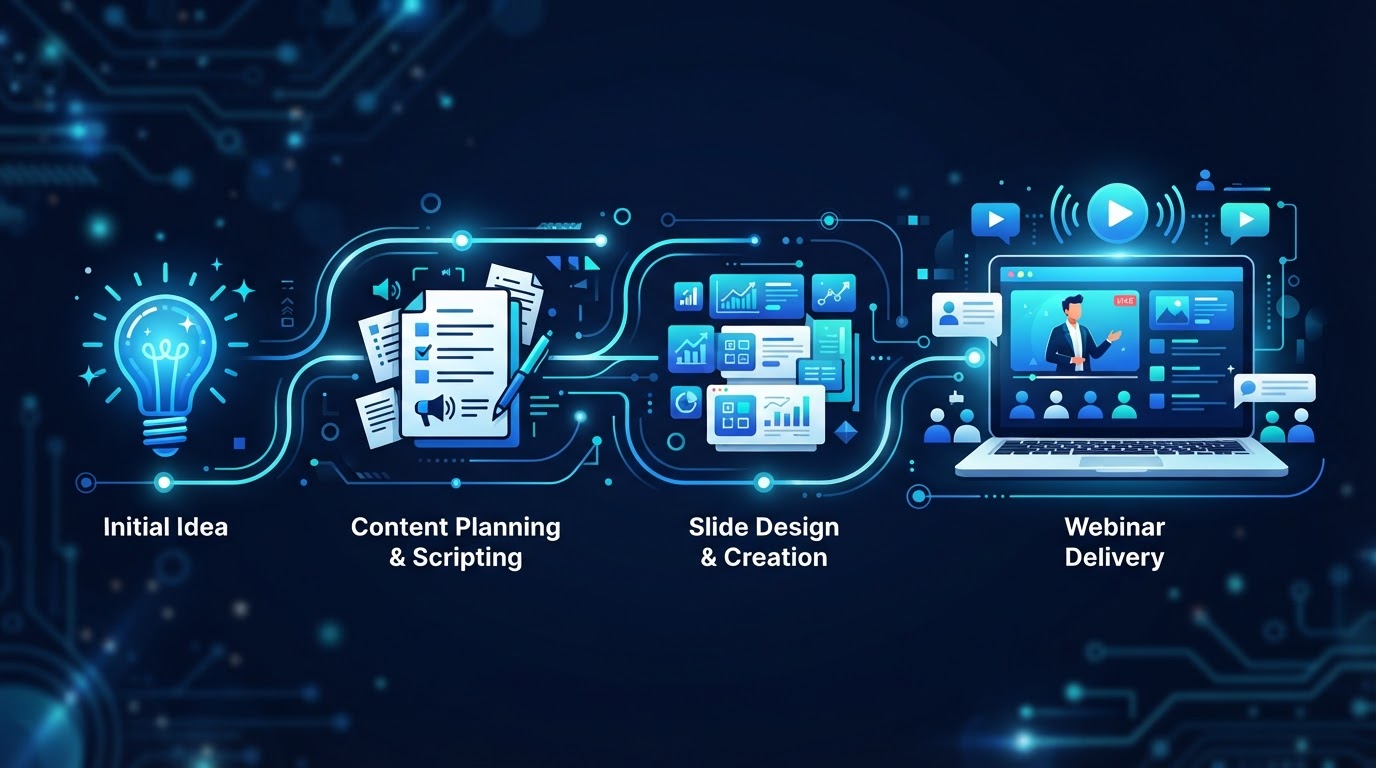
Here is the process in the order that actually produces results: strategy first, structure second, script third, slides fourth, production fifth, and follow-up sixth. Each step depends on the one before it. Skip a step, and the webinar will feel incomplete — even if the slides look polished.
Step 1: Define the strategy
Before anything else, answer four questions. Who is the audience? What problem do they have? What do you want them to do after the webinar? What offer or next step moves them toward that action?
The audience determines the content. A webinar for technical buyers needs different depth than one for business owners. The problem determines the hook — the first thing the attendee hears should be the problem they arrived with. The desired action determines the structure — every section should build toward that action. The offer determines the close — the last section should make the next step obvious.
If you cannot answer these four questions clearly, you are not ready to create the webinar. A webinar without a strategy is a presentation that fills time. A webinar with a strategy is a conversion asset.
Step 2: Structure the presentation
An effective webinar structure follows a predictable arc: problem, agitate, educate, solution, offer. The attendee arrives with a problem. The first section confirms you understand it. The second section deepens their understanding of why it matters. The third section educates them on the approach. The fourth presents your solution. The fifth makes the offer.
Within each section, use the question-driven approach: each section should answer a question the attendee would naturally ask at that point, and end by creating the question the next section answers. This creates a sense of momentum — the attendee feels the presentation is going somewhere, not just covering topics.
Step 3: Write the script
The script is the words the presenter will say. It is not the slides — the slides are visual support. The script carries the presentation. Write it conversationally, as if speaking to one person. Use short sentences. Avoid jargon unless the audience expects it. Include transitions between sections so the presentation flows rather than feeling assembled.
This is where AI-assisted script creation can accelerate the process. An AI that takes your strategic brief — audience, problem, offer — and generates a structured script gives you a starting point in minutes instead of days. You then refine the script with your expertise, adjusting the tone, adding specifics, and ensuring the content is accurate. The AI does the first draft; you do the final draft.
Step 4: Build the slides
Slides support the script; they do not replace it. Each slide should make one point visually. Avoid walls of text — if the slide has more than a few words, the attendee will read it instead of listening. Use images, diagrams, and minimal text. The slide should reinforce what the presenter is saying, not duplicate it.
AI can generate slides from the script, creating a visual structure that matches the presentation's flow. This eliminates the manual work of building slides in a design tool and ensures the visual pacing matches the script's pacing. The output is a starting point — you refine the design, but the structure is handled.
Step 5: Produce the presentation
Production is the delivery of the script. Traditionally, this meant a human presenter on camera, recording the presentation in one take, hoping for no mistakes. AI presenters offer an alternative: the script is delivered by an AI-generated presenter, speaking the words naturally on camera. This allows the presentation to be produced without a studio, without retakes, and without the presenter's time.
The choice between human and AI production depends on the format. For a live webinar, a human presenter is usually necessary. For an evergreen or just-in-time webinar, an AI presenter allows the presentation to run at any time without the presenter being available. Many businesses use both — a human for live events, an AI presenter for the automated version of the same presentation.
Step 6: Build the registration and follow-up
The webinar is not complete when the presentation is recorded. It is complete when the funnel around it is built. The registration page converts visitors to registrants. The reminder emails get registrants to attend. The follow-up sequence converts attendees to action-takers. Without these, the presentation — however good — produces no results.
Behavioral follow-up is the highest-leverage element. Instead of sending the same email to every registrant, send different messages based on what each person did. No-shows get a replay. Partial viewers get content. Full viewers get a call to action. Offer-clickers get a reminder. The same webinar produces different journeys for different levels of intent — and that is what maximizes conversion.
The webinar is not the presentation. The webinar is the entire system: strategy, structure, script, slides, production, registration, and follow-up. Get all six right, and you have an asset that converts continuously. Get any one wrong, and the whole system underperforms.
The shortcut: AI-assisted creation
The traditional webinar creation process takes weeks. Strategy sessions, script drafting, slide design, recording, editing, funnel building. Each step is a bottleneck. AI-assisted creation compresses this timeline dramatically. The AI generates the script from a brief, builds the slides from the script, and can produce the presentation through an AI presenter — all from a few sentences of input.
This does not eliminate the human's role. The strategy, the accuracy, the refinement — those remain yours. What AI eliminates is the blank-page problem and the production bottleneck. You start with a complete draft instead of an empty slide deck. You refine instead of creating from scratch. The webinar that took weeks now takes days, and the one that took days now takes hours.
See AI webinars in action
Watch how WebinarBoostAi creates, presents, and engages with webinars using AI.
Book A DemoFrequently Asked Questions
How do I create a webinar?
Follow six steps: define the strategy (audience, problem, desired action, offer), structure the presentation (problem-agitate-educate-solution-offer), write the script conversationally, build supporting slides, produce the presentation (human or AI presenter), and build the registration page and behavioral follow-up sequence.
How long does it take to create a webinar?
Traditionally, weeks — strategy, scripting, slide design, recording, editing, and funnel building. With AI-assisted creation, the AI generates the script and slides from a brief, compressing the timeline to days or hours. The human still handles strategy, accuracy, and refinement.
What should a webinar include?
A strategic structure (problem, agitate, educate, solution, offer), a conversational script, visual slides that support rather than duplicate the script, a registration page, reminder emails, an offer with a clear call to action, and behavioral follow-up that sends different messages based on attendee behavior.
Can AI create a webinar?
AI can generate the script from a brief, build the slides from the script, and deliver the presentation through an AI presenter. The human handles strategy, accuracy, and refinement. AI eliminates the blank-page problem and production bottleneck, but it does not replace strategic judgment.
What is the most important part of a webinar?
The strategy. A webinar without a clear audience, problem, desired action, and offer is a presentation in search of a purpose. The slides and production matter, but they are the last steps, not the first. Get the strategy right, and the rest follows.