

Building webinar slides is one of the most time-consuming parts of webinar creation. It is also one of the most frustrating for people who are not designers. You know what you want to say — the script is written — but translating that into a visual presentation that looks professional requires skills you may not have and time you do not want to spend.
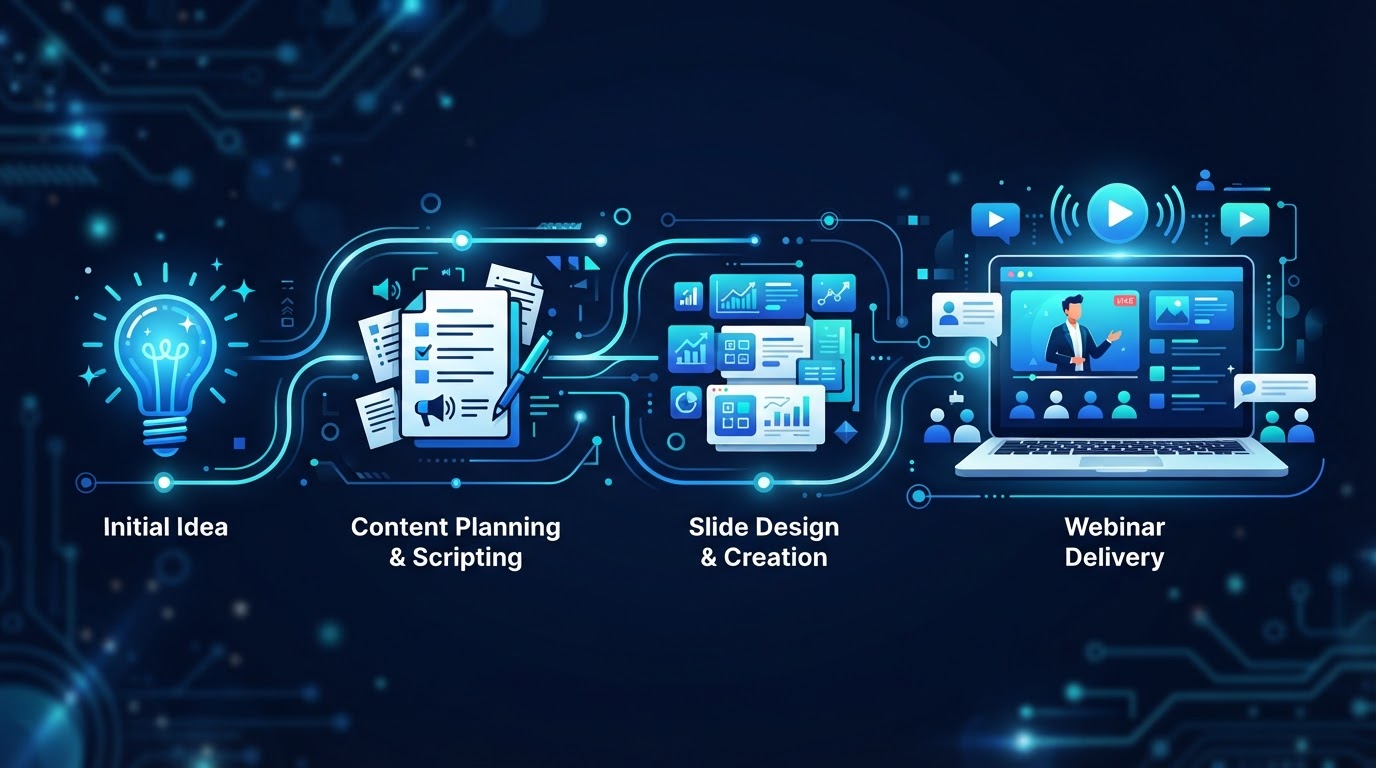
AI-generated slides address this directly. Instead of building slides manually in a design tool, the AI takes your script — or a brief — and generates a complete slide deck: one slide per section, with appropriate visuals, minimal text, and a consistent design. The output is a starting point that you refine, not an empty canvas you fill.
How AI-generated slides work
The process has three stages. First, the AI analyzes the script or brief to identify the key points and their logical structure. Second, it determines the visual treatment for each point — what should be shown on the slide to support the spoken content. Third, it generates the slides, applying a consistent design system across the deck.
The result is a complete presentation that matches the script's flow. Each slide makes one point. The visual supports the spoken word rather than duplicating it. The design is consistent — same fonts, colors, and layout principles — across the entire deck. What would take hours to build manually is generated in minutes.
What AI does well in slide generation
- Structure — breaking the script into slides, one per key point, with a logical sequence that matches the presentation's flow.
- Visual selection — choosing appropriate imagery, diagrams, or layouts for each slide based on the content.
- Text minimization — keeping slide text short and focused, avoiding the walls of text that make slides unreadable.
- Design consistency — applying the same fonts, colors, and layout principles across the entire deck for a professional look.
These are the mechanical aspects of slide design — the parts that take time but do not require strategic judgment. The AI handles them. You handle the parts that do require judgment: the specific examples, the brand alignment, the accuracy of any data shown, and the strategic decisions about what to emphasize.
What to refine
The AI-generated deck is a starting point, not a finished product. After generation, review and refine three things. First, the content accuracy — verify that any data, statistics, or claims shown on the slides are correct. The AI may include plausible but unverified information. Second, the brand alignment — adjust colors, fonts, and imagery to match your brand. The AI's default design may not match your identity. Third, the emphasis — some points may need more visual weight than the AI gave them, and some may need less.
AI-generated slides eliminate the blank-canvas problem and the design-skill barrier. The AI builds the structure, selects visuals, and applies consistency. You refine the accuracy, the brand, and the emphasis. The deck that took hours now takes minutes — and looks professional regardless of your design skills.
The script-to-slides workflow
The most efficient workflow is script-first, slides-second. Write or generate the script first — the words the presenter will say. Then generate the slides from the script. This ensures the slides support the presentation rather than driving it. The script is the source of truth; the slides are visual support.
This is the opposite of how most people build webinars — slides first, then speaking notes. That approach leads to slide-driven presentations where the presenter reads the slides. The script-first approach leads to presenter-driven presentations where the slides support the speaker. The difference in engagement and conversion is significant.
An integrated AI webinar platform makes this workflow seamless. The script is written or generated in the platform. The slides are generated from the script. The presenter — human or AI — is produced from the script. The registration page and follow-up are generated from the script's key points. Everything flows from one source of truth, eliminating the disconnected tools and manual handoffs that make webinar production slow.
When manual slides are still better
AI-generated slides are not always the right choice. For presentations that require highly custom visuals — complex diagrams, brand-specific illustrations, data visualizations that need precise formatting — manual design may produce a better result. The AI is best for standard presentation slides: text-and-image layouts, simple diagrams, and structured content.
The practical approach is to use AI for the first draft — generating the full deck quickly — and then manually refine the slides that need custom treatment. This gives you the speed of AI generation for the majority of the deck and the precision of manual design for the slides that matter most. You are not choosing between AI and manual. You are using AI to do 80% of the work and manual refinement for the 20% that requires it.
See AI webinars in action
Watch how WebinarBoostAi creates, presents, and engages with webinars using AI.
Book A DemoFrequently Asked Questions
Can AI generate webinar slides?
Yes. AI can generate a complete slide deck from a script or brief — analyzing the content, determining visual treatment for each point, and applying a consistent design system. The output is a starting point that you refine for accuracy, brand alignment, and emphasis. What takes hours manually is generated in minutes.
How do AI-generated slides work?
The AI analyzes the script to identify key points and structure, determines the visual treatment for each point, and generates slides with appropriate imagery, minimal text, and consistent design. The result matches the script's flow — one slide per key point, with visuals that support the spoken content.
What should I refine after AI generates slides?
Three things: content accuracy (verify any data or claims the AI included), brand alignment (adjust colors, fonts, and imagery to match your brand), and emphasis (some points may need more or less visual weight than the AI gave them). The AI provides the structure; you provide the judgment.
Should I write the script or build slides first?
Script first, slides second. Writing the script first ensures the slides support the presentation rather than driving it. This leads to presenter-driven presentations where slides support the speaker, rather than slide-driven presentations where the presenter reads the slides. The difference in engagement is significant.
When are manual slides better than AI-generated?
For presentations requiring highly custom visuals — complex diagrams, brand-specific illustrations, or precise data visualizations. The practical approach is to use AI for the first draft (80% of the deck) and manually refine the slides that need custom treatment (the 20% that matters most).